What happens in an ai hebrew tutor lesson: a short A1 conversation, three response modes, instant fixes, and a four-score recap in baba Learn.
What happens in your first Hebrew lesson with Maya?
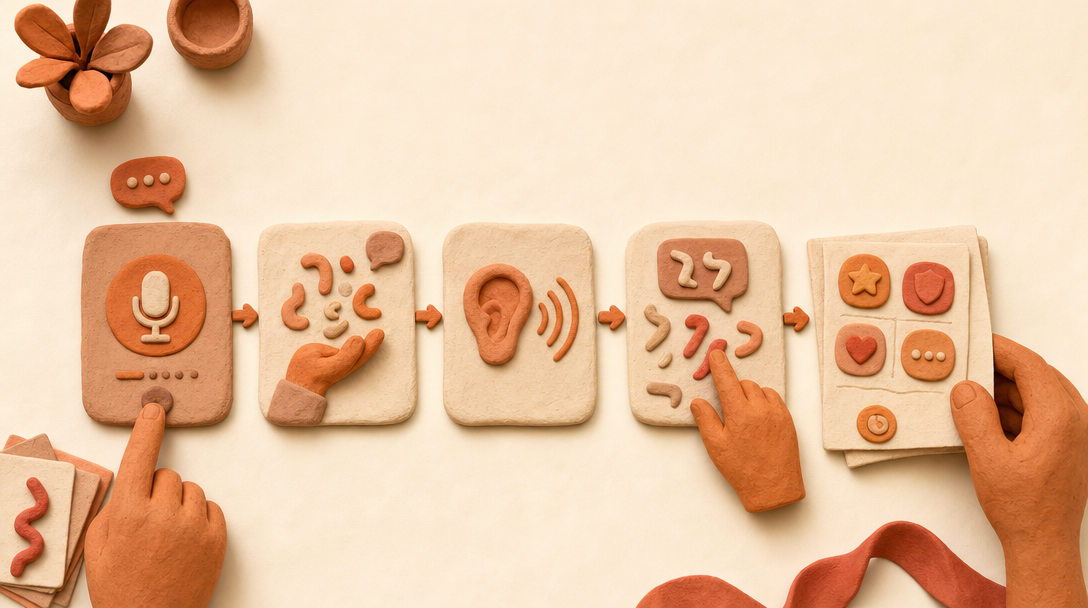
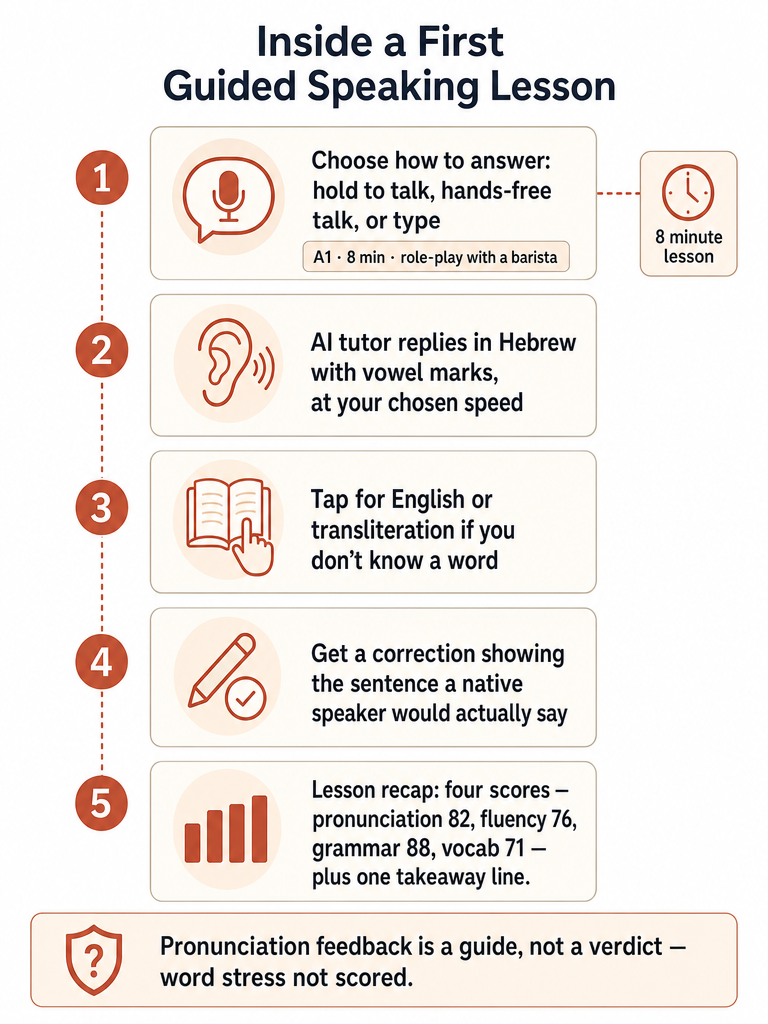
A first Hebrew lesson with Maya is a short guided conversation, not a classroom lecture: the app's own example runs A1 level, 8 minutes, talking with Dana the barista. You hold to talk or type, Maya answers in Hebrew at your chosen speed, corrects you with the sentence an Israeli would say, and the lesson closes with a four-score recap.
Try this before you open any app: say "אפשר קפה קטן, בבקשה?" (efshar kafe katan, bevakasha, "a small coffee, please?") out loud, twice, at a normal pace. That's the same kind of single sentence an ai hebrew tutor lesson is built around, and the outcome worth aiming for here isn't a flawless accent, it's getting one full sentence out loud without stalling partway through.
An AI Hebrew tutor lesson, in that sense, is a timed conversation with a virtual tutor that replies in real Hebrew, flags what you said differently, and scores how you did, without a classroom seat or a fixed schedule. Inside baba Learn, that conversation is labeled by lesson number too: one example screen shows "Daily lesson 2 of 12," so the first lesson you take is one stop on a longer path, not a standalone demo.
Every line Maya says appears in Hebrew with its vowel marks (nikud), so you're reading real Hebrew from the first sentence, not a romanized shortcut. English and transliteration sit one tap away if you need them. Maya speaks out loud at whatever speed you set, which matters more on lesson one than it will later, once you've heard her voice enough times to follow faster speech.
Can you talk, type, or go hands-free if you freeze mid-lesson?
Freezing mid-sentence is a common reason learners avoid speaking practice, and it's one of the exact pain points this lesson format is built around. The app answers it with three separate ways to respond, not one, each selectable before the conversation even starts.
Hold to talk. Press and hold while you speak, then release. This gives you a clear start and stop point, which helps if you need a beat to think before committing to a sentence.
Talk hands-free. Speak without holding anything down, closer to a real back-and-forth exchange once you're past the stage of needing a button as a safety net.
Type instead. If speaking out loud feels like too much on a given day, typing your reply keeps the lesson moving without forcing you to say anything aloud yet.
None of these modes is the "correct" one. Switching between them lesson to lesson is normal, especially in the early stretch where the freeze happens between knowing a word and saying it out loud. Typing your way through a rough day and holding to talk the next is a reasonable way to keep showing up.
How much help can you get if you don't know a word?
You get four separate kinds of help inside a Classic lesson, aimed at the exact moment you know the idea but not the Hebrew for it. That gap, not vocabulary itself, is usually what stalls a conversation.
How Do I Say lets you ask for a missing phrase without leaving the conversation to look it up elsewhere. If a full sentence feels out of reach, you can ask Maya for a simpler reply instead of the one she first offered. A suggested reply gives you a starting line you can then adjust rather than building from nothing. And English or transliteration for any line is one tap away, so you're never stuck staring at Hebrew you can't parse.
The point of all four tools is to get you through the exchange, then back to speaking without them. Leaning on English or a suggested reply once doesn't mean you need it next time.
Will Maya correct you right away, or wait until the end?
You choose the timing yourself, and you can change it anytime. Maya offers three options: corrections immediately as you speak, a few times per lesson, or saved until the whole lesson is over. Her own sample intro line sets expectations plainly: she'll correct you "a few times in each lesson" by default, though nothing locks you into that setting.
When a correction does land, it doesn't just mark something wrong: it shows you the sentence an Israeli would actually say, then keeps the conversation going. One worked example from the app's own page: a learner says "אני אוהב חומוס ואני גר ב תל אביב" (missing a space), and the fix comes back as "אני אוהב חומוס ואני גר בתל אביב," with a plain note that ב sticks directly to תל, no space after it. That's the kind of detail a textbook rule might mention once and a real correction makes concrete.
Once the lesson ends, the correction doesn't disappear. It's available afterward in Fix Your Mistakes, where you can revisit corrections from past conversations and practice saying the fixed version again instead of just reading it once and moving on.
How does Maya handle Hebrew grammatical gender while you speak?
Maya addresses you in your own grammatical gender throughout the lesson, which means the verbs, adjectives, and even the word for "you" she uses depend on whether you're speaking as a man or a woman, not on some default setting applied to every learner. Hebrew grammatical gender is the system where the form of a word changes based on who's speaking or being spoken to, and it shows up constantly in ordinary sentences, not just in formal grammar.
Two pairs from the product itself show how this plays out. "I want" stays spelled the same in Hebrew (אני רוצה) whether you're male or female, but it's pronounced ani rotse for a man and ani rotsa for a woman, a difference you only catch by ear. "How are you" splits even more clearly in speech: ma shlomkha when asking a man, ma shlomekh when asking a woman.
Maya recorded both forms of her own lines in her own voice, so a male learner and a female learner hear a genuinely different sentence from her, not a text swap. If you want to drill this specific pair out loud before your next lesson, there's a short gender-ending exercise built around rotse and rotsa.
What shows up in the lesson recap after a Classic lesson?
Every Classic lesson closes with four numeric scores, not one overall grade, so you can see which part of the conversation needs more work before your next session. The app's own recap example shows a total gain of +86 points alongside the four category scores.
Score category
Example reading
Pronunciation
82
Fluency
76
Grammar
88
Vocabulary
71
Alongside the four scores, the recap flags the lines worth fixing and highlights one takeaway to practice saying out loud before you move to the next lesson. That's a narrower ask than reviewing the whole transcript: one sentence, repeated until it's automatic, rather than a vague sense of "do better next time."
Anything you want to keep past the recap screen doesn't have to stay there. Useful words and phrases from the conversation can be saved to My Cards, where review happens by revealing the answer, typing it, or saying it aloud, three different ways to re-test the same phrase depending on what kind of practice you want that day.
How reliable is the pronunciation feedback, and what doesn't it check?
Maya's pronunciation feedback works at the sound level: it flags which sounds inside a word it heard differently from the target pronunciation, not a single pass-or-fail verdict on the whole word. That's a more specific kind of feedback than a plain "correct" or "incorrect," but it comes with two real limits worth knowing before you lean on it.
Word stress isn't part of what this feedback checks yet, per the app's own feature description. If a correction or a pronunciation flag looks doubtful, the sensible move is the same one you'd use with any tool: keep the example and check it against a teacher or a fluent speaker rather than taking the score as final.
What other lesson types can you try besides Classic?
Classic is the entry point, but it's one of four ways into a conversation, each suited to a different kind of day. Role-play lets you rehearse a specific everyday Israeli situation rather than follow a guided exchange. Read and Talk starts from something you've read and turns it into a discussion. Free Talk skips the structure entirely and lets you bring your own topic or question into the conversation.
Maya and David are the two tutor voices available across all four modes, so switching lesson types doesn't mean switching who you're talking to unless you choose to. Picking a voice you like and sticking with it, or alternating between them, is entirely up to you.
Once you've done a first Classic lesson and know roughly how hold-to-talk, corrections, and the recap feel, trying Role-play for a situation from your own life (ordering at a real café, a visit to a doctor, an actual phone call you need to make) is one reasonable next step, especially on a day when repeating another generic Classic conversation doesn't appeal to you.
Is baba Learn available yet, and what do you need to start?
baba Learn is in private beta on iPhone and Android, and a public store launch hasn't happened yet. Free Classic lessons are available to start without entering a card, with your exact allocation shown inside the app itself. Per baba Learn's own app details, the service is built for adults 18 and over, and voice recordings are kept for 30 days to check a score before they're deleted.
Pro plans on top of the free allocation carry a monthly usage allowance for the AI conversation features, though saved reviews in My Cards and Fix Your Mistakes stay free regardless of plan. None of this amounts to an accredited course or a guaranteed route to a given level of Hebrew: it's modern Israeli Hebrew speaking practice, with the usual caveats about AI feedback attached.
Before committing time to any AI Hebrew tutor, it's worth running the same handful of checks across tools rather than judging on first impression. There's a walk-through of what to test before you subscribe to an AI Hebrew tutor that covers grammatical context, correction quality, and sound feedback specifically, and it applies just as well to the lesson flow described here as to any other option you're weighing.
Frequently asked questions
How long does a first lesson with an AI Hebrew tutor usually take?
A first lesson runs about 8 minutes at the A1 level in baba Learn's own example, built around a short conversation with a barista named Dana. That's long enough to hold to talk or type through a handful of exchanges and get at least one correction, not a full class session. Actual length varies with how much you speak, since Maya replies at whatever pace you set rather than on a fixed clock.
Can a complete beginner use an AI Hebrew tutor like Maya?
Yes, a complete beginner can use an AI Hebrew tutor, since Maya offers optional English and transliteration alongside every Hebrew line she speaks. If a full sentence feels out of reach, you can ask for a simpler reply or a suggested line to start from, and How Do I Say fills in a missing phrase without leaving the conversation. None of these supports require speaking fluent Hebrew first.
How much does baba Learn cost, and is there a free option?
Free Classic lessons are available to start without entering a card, with your exact allocation shown inside the app itself. Pro plans add a monthly usage allowance for the AI conversation features on top of that free allocation. Saved reviews in My Cards and corrections in Fix Your Mistakes stay free no matter which plan you're on, since they don't draw on live conversation time.
What happens to your voice recordings after an AI Hebrew lesson?
Voice recordings are kept for 30 days so baba Learn can check a pronunciation score, then they're deleted. The service is built for adults 18 and over, per the app's own details, and recordings aren't kept indefinitely or reused beyond scoring that one lesson. This applies whether you used hold-to-talk, the hands-free option, or typed and only spoke part of the exchange.
Do you need to know the Hebrew alphabet before your first lesson?
No, you don't need to read Hebrew letters before your first conversation. Baba's own guidance says you can begin with useful spoken phrases and transliteration while learning the alphabet separately, since knowing the letters mainly helps you recognize and remember what you hear rather than gate your first exchange. Maya shows every line with nikud plus optional transliteration, so unread Hebrew is never the only thing on screen.
Can an AI Hebrew tutor replace a human teacher?
No, an AI Hebrew tutor and a human teacher serve different needs rather than one replacing the other. A teacher can assess your progress, plan a study sequence, and work through a subtle grammar question with you in a way an app cannot. An AI tutor like Maya adds extra chances to speak and revisit corrections between those sessions, as a supplement rather than a substitute for instruction.